
Do they have a name?
If you just need the value — first name, plan tier, today's date, unsubscribe URL — that's Variables. Drop %%tag%% and Mumara substitutes per recipient. No setup, no rules.
The personalization stack
Mumara has four personalization mechanisms — Variables, Spintax, Dynamic Content Tags, and AI Content Tags — plus the Mumara AI chat composer on top. Four syntaxes, four powers, infinite variants from a single template.
What 'personalization' should mean
Everyone knows merge tags. They're the floor. What separates a polished email programme from a mass blast is the stack of mechanisms layered on top.
Variables substitute. Spintax rotates. Dynamic Content Tags branch. AI Content Tags generate. They don't replace each other — they stack. A single broadcast can use all of them at once, each handling a different kind of variation, with one rendered email per recipient at send time.
The right personalization stack means you build the email once and Mumara renders it per recipient at send time. VIPs see one offer, free-tier sees another, weekend openers see a third — all from one template. No duplicate campaigns, no fragile segments-of-segments, no campaign sprawl. Just one broadcast that knows how to read its audience.
Four syntaxes, four powers
Each row adds power. Variables substitute. Spintax rotates. Dynamic Content Tags branch. AI Content Tags generate. Pick one — or stack them all in the same email.
Substitution
A %%field_name%% merge tag resolves to the recipient's stored value at send time. Same syntax covers Custom Profile Fields (%%first_name%%, %%plan_tier%%) and platform system variables (%%unsubscribelink%%, %%web_view_link%%).
Random rotation
Saved tags ({{tag}}) or inline options ([a|b|c]) picked at random per recipient. Same email, every subscriber sees a different opener. Breaks ISP fingerprinting and freshens evergreen templates.
Conditional
A tag resolves to one of several Content Units based on rules matching the recipient. Different block for VIPs, free-tier, EMEA, weekend buyers — same broadcast.
Generative variant
Auto-rewrites email content per send on a frequency you set. Think: a Spintax that writes its own variants with AI. Fresh copy every send, never the same string twice.
Custom Fields · the foundation
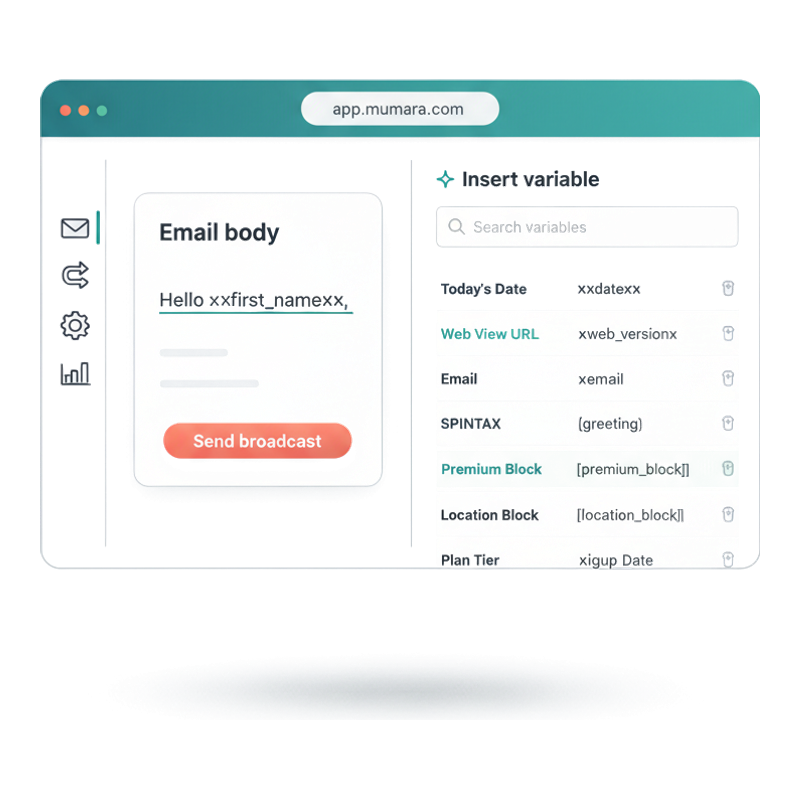
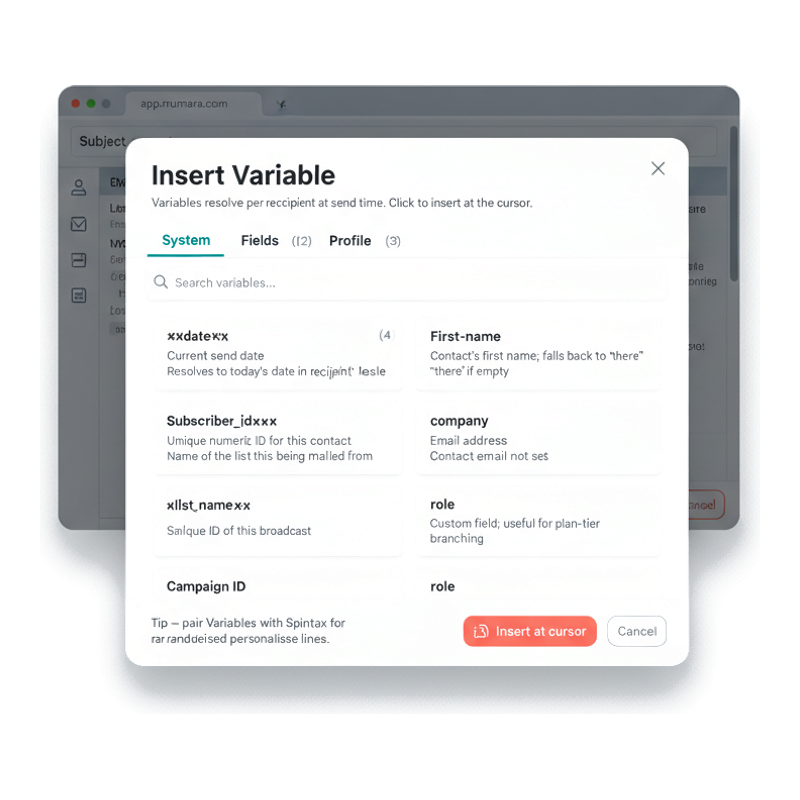
Click the Variables button in the broadcast top toolbar (or the picker in the HTML editor) and an Insert Variable modal opens. Searchable, organized into System / Fields / Profile categories, with the exact %%field_name%% merge-tag syntax shown next to each variable so you can copy or click to insert.
Sender Name, Recipient Email, Today's Date, Web View URL, List Name, Broadcast Name, Campaign id, Sending Domain — every system value Mumara knows. Use %%sender_name%%, %%todays_date%%, %%web_version%% directly in subject or body.
First name, last name, company, plan tier, lifecycle stage, geography, custom_field_X — anything on the contact record is a variable. Define the field once in Contact settings; it shows up in the picker forever.
Unsubscribe link, preferences-centre URL, profile-update URL — the per-recipient links that compliance and CAN-SPAM require. Mumara generates them per send; you just drop the variable.
Subject line, preheader, sender name, sender email, reply-to, body text, plain-text variant, HTML, drag-and-drop builder — variables resolve at send time in every text field Mumara renders.
Spintax · content rotation
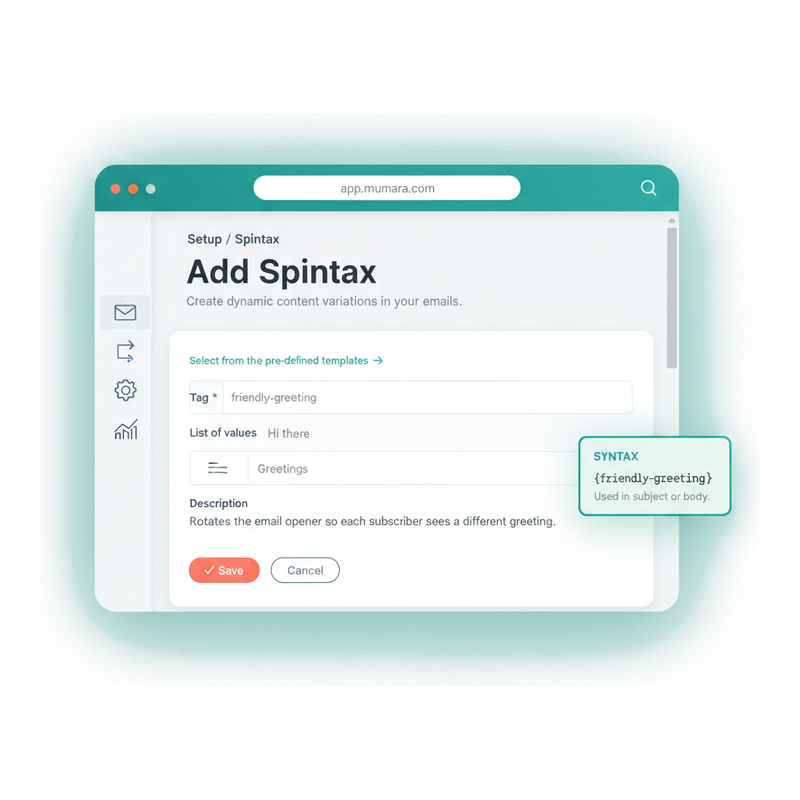
Spintax is curly-brace variants: {Hello|Hi|Greetings}. Mumara picks one at random per send, so the email reads slightly differently to every subscriber. Use inline (write the variants right in the email) or stored (save a tag in Setup → Spintax, reference it as {tag-name}).
Write {Black Friday|BFCM|Cyber Monday weekend} sale starts now directly in your subject. Mumara substitutes one per recipient. No setup, just curly braces and pipes.
Save common rotations as named tags from Setup → Spintax. {greeting} resolves to one of: Hello / Hi / Greetings / Hey / Hi there. Maintain the list in one place; every email that references the tag stays in sync.
Don't start from a blank list. Mumara's pre-defined Spintax templates cover greetings, sign-offs, urgency phrases, calls to action — clone and tweak instead of writing every variant from scratch.
ISPs treat 100,000 identical emails as a bulk-mail fingerprint. Spintax produces 100,000 similar-but-distinct emails. Inbox-placement rises; recipients feel the email was written for them.
Dynamic Content Tags · conditional blocks
Dynamic Content Tags resolve to one (or several) of multiple Content Units based on rules matching the recipient. Drop [[vip-pricing]] in your template; VIPs see one block, Free-tier sees another, everyone else sees a third. One email, every audience, no segments-of-segments sprawl.
Each tag holds N units. Each unit has its own condition (subscription_tier IS Pro / location IS EMEA / signed_up_within 30 days) and its own content body. Add as many units as the audience demands.
Return the first matching unit only (mutually exclusive — VIP message OR Free message, not both). Or return all qualifying units combined (stack everything that applies — a VIP from EMEA sees both blocks).
Conditions filter on any contact field, custom field, or segment membership — the same building blocks as the Segments feature. If you can segment on it, you can branch a DCT on it.
The base DCT mechanism (conditional blocks) is core. The RSS Feed addon adds feed-driven DCTs that pull items from RSS 2.0 / Atom / JSON Feed / Media RSS, with iteration syntax (___title#1___, ___link#2___) for digest emails.
![Mumara Add Dynamic Content Tag form — Tag vip-pricing, two Content Units (subscription_tier IS Pro and subscription_tier IS Free), syntax callout [[vip-pricing]]](/images/generated/campaigns-dct-form.png)
Mumara AI · the composer
Mumara AI sits on top of the personalization stack as a chat agent inside both the HTML editor and the Drag & Drop Builder. Tell it what you want — 'Write a re-engagement email for subscribers who haven't opened in 60 days, mention their last purchase' — and it composes the email using your Variables, your DCT conditions, your Spintax rotations. Tiered: Mumara AI Fast, Mumara AI, Mumara AI Advanced.
Mumara AI doesn't just rewrite a sentence. It composes whole emails — layout, structure, copy, CTAs — and inserts the right Variables and tags as it goes. Then you iterate by chat.
Toggle 'Enable Personalization in Content Generation' in AI Settings and Mumara AI gains knowledge of your contact fields, custom fields, profile fields, sender tags, DCTs, and the conditions on your triggers, drips, and segments. It writes copy that already knows the audience.
Mumara AI Fast for quick drafts, Mumara AI for everyday work, Mumara AI Advanced for the most capable compositions. Mumara AI is the brand surface — never reveal the model backend.
Bundled credits ship with every plan. Top up when you need to — credits never expire while your account is active. Admins can also set a credit markup % to bill end-users for AI consumption.

When to reach for which
The right personalization mechanism depends on what the email needs to do for each recipient. Three questions to decide which to reach for.
If you just need the value — first name, plan tier, today's date, unsubscribe URL — that's Variables. Drop %%tag%% and Mumara substitutes per recipient. No setup, no rules.
If the values are the same but you want copy variety — to look human, to avoid ISP fingerprinting, to freshen evergreen sends — that's Spintax. {Hello|Hi|Greetings} and Mumara picks one per recipient.
If different audiences need different blocks entirely — VIP pricing vs Free upgrade, EMEA shipping vs APAC shipping — that's Dynamic Content Tags. [[tag]] with Content Units per audience.
What generic personalization misses
Most email tools stop at merge tags. The result reads personalized for two seconds, then feels generic. The personalization stack matters because each layer fixes a different shortcoming.
Every tool does merge tags. The recipient notices in the first line and tunes out by the second. Personalization that stops at the salutation is barely personalization at all.
Without Dynamic Content Tags you end up cloning the same broadcast into several versions — one for VIPs, one for Free, one per region — and maintaining them in parallel. Drift is guaranteed. DCTs put every variant back into one template.
ISPs run fingerprinting on bulk-mail content. 100,000 byte-identical emails raise flags 100,000 distinct ones don't. Without Spintax, your broadcasts ship as one fingerprint; with it, they ship as a thousand.
A weekly evergreen email that says the same thing forever stops landing. AI Content Tags (addon) rewrite the body each send so the same evergreen campaign reads fresh on every run.
“The personalization tools are best-in-class — merge tags, conditional content, and AI variations all work together. We get the equivalent of fifteen segment-specific campaigns from one broadcast.”
Verified review
Mumara customer
Common questions
Three different powers. Custom Fields (%%first_name%%, %%plan_tier%%) substitute — the merge tag resolves to the recipient's stored value at send time. Spintax ({{tag}} or [a|b|c]) rotates — Mumara picks one variant at random per recipient, useful for content freshness and avoiding ISP fingerprinting. Dynamic Content Tags ([[pricing-block]]) branch — the tag resolves to one of several Content Units based on rules (VIPs see one block, Free tier sees another). Different syntaxes, different powers, layered cleanly in the same email.
No. Spintax is a core feature — ships with every Mumara Campaigns plan. Create inline spintax ({Hello|Hi|Greetings}) directly in any email field, or save reusable Spintax tags from Setup → Spintax. Pre-defined templates ship with the product for common rotations.
Variables use double percent signs: %%first_name%%, %%sender_email%%, %%todays_date%%. Spintax uses curly braces with pipe-separated variants: {Hello|Hi|Greetings} (inline) or {greeting} (referencing a stored tag). Dynamic Content Tags use double square brackets: [[vip-pricing]]. AI Content Tags use the addon-specific syntax — see the AI Content Tags feature page.
Both. The Variables button in the D&D Builder's top toolbar opens the same Insert Variable modal as the HTML editor — System / Fields / Profile categories, searchable, %%tag%% syntax shown. Spintax and Dynamic Content Tags work as text inside any Text Block. The Drag & Drop Builder is an addon for Mumara Campaigns.
AI Content Tags are a paid addon. They auto-rewrite email content on a defined frequency so each send is a unique AI-generated variant. Think of them as a Spintax that writes its own variants with AI — useful for evergreen campaigns that need fresh copy every run, and for deliverability (variant content avoids fingerprint detection). See the pricing page for addon pricing.
Mumara AI is the chat agent that composes whole emails at design time — you describe the email, the agent assembles it on the canvas with appropriate Variables, layouts, and copy. AI Content Tags work at send time, rewriting individual content tags per recipient or per run. Different roles: Mumara AI is the composer; AI Content Tags are the per-send refresh.
Yes — every mechanism works in the subject line. Custom Fields (%%first_name%% in the subject), Spintax ([Black Friday|BFCM|Cyber Monday] sale starts now), Dynamic Content Tags ([[subject-line-tag]]), and AI-rewritten subjects. Personalized subjects materially lift open rates; combining Spintax + Custom Fields in subjects is one of the highest-ROI personalization choices.
Mumara renders a per-contact preview from the broadcast editor — pick any contact and see the email exactly as they would receive it, with their Variables substituted, Spintax variants picked, and DCT branches resolved. Useful for verifying the right block is showing for the right audience before scheduling.
Related
All four personalization mechanisms live inside the broadcast editor — same %%/{}/[[]] syntax in subject, body, and sender fields.
Read morePersonalization works the same in the visual builder. Variables button in the top toolbar; Spintax and DCTs as text inside any Text Block. Addon.
Read moreDynamic Content Tag conditions filter on the same fields as Segments. Build the audience query once; reuse the logic inside email content.
Read moreRecurring broadcasts get the most out of Spintax and AI Content Tags — fresh copy on every run. Addon.
Read moreAuto-pull RSS / Atom / JSON Feed items into Dynamic Content Tags inside any broadcast. Addon.
Read moreMumara Campaigns · Personalization
Variables, Spintax, and Dynamic Content Tags ship with every Mumara Campaigns plan. AI Content Tags and the RSS Feed extension are addons. The free trial includes all addons — try the full personalization stack before you commit.